Adaptive Image Quality
Adaptive Image Quality allows PixelFiddler to automatically adjust the quality of images based on client-provided hints. By analyzing device and network characteristics, PixelFiddler optimizes image delivery to balance quality, performance, and bandwidth usage.
When a client requests an image transformation, PixelFiddler evaluates available hints and policies to determine the best resolution and quality. This ensures efficient delivery for different devices, screen sizes, and network conditions.
The adaptive quality logic uses the following hints:
- DPR (Device Pixel Ratio): Determines the device’s screen density.
- Viewport Width / Width: Provides the actual or estimated display width.
- Network Conditions (ECT / Downlink): Estimates network speed to optionally reduce quality on slower connections.
You can read more about client hints in the MDN Web Docs.
How PixelFiddler Adjusts Image Quality
Section titled “How PixelFiddler Adjusts Image Quality”PixelFiddler follows a priority-based system to determine the target resolution and quality:
- Device Pixel Ratio (DPR)
- PixelFiddler checks the
Sec-CH-DPRheader or thedprquery parameter to determine the effective DPR. - If Network-Adaptive Quality is enabled, the DPR may be reduced for slow connections.
- Max DPR can be configured in the Maximum Device Pixel Ratio section (be default: 1)
- Requested Width / Viewport Width
- The width can be explicitly requested using
Sec-CH-Widthor derived fromSec-CH-Viewport-Width. - The closest allowed resolution from the policy is chosen if a set of allowed resolutions is defined.
- Network Speed
- PixelFiddler evaluates
Sec-CH-ECTandSec-CH-Downlinkto classify the network asSLOW,MEDIUM, orFAST. - Lower quality may be applied on slow connections if enabled in the policy.
- Final Resize Calculation
- The requested width and height are scaled by the DPR to compute the target resolution.
- Final dimensions are clamped to maximum allowed values.
Client Hint Headers Set by PixelFiddler
Section titled “Client Hint Headers Set by PixelFiddler”PixelFiddler sets the following client hint headers to request relevant information from the browser:
Accept-CH: Sec-CH-DPR, Sec-CH-Viewport-Width, Sec-CH-Width, Sec-CH-ECT, Sec-CH-DownlinkIf any of the hints are used in determining the transformation, PixelFiddler adds the corresponding headers to the Vary response header to ensure proper caching:
Vary: Sec-CH-DPR, Sec-CH-Width, Sec-CH-Viewport-Width, Sec-CH-ECT, Sec-CH-DownlinkExample Behavior
Section titled “Example Behavior”- Fast network, high DPR: PixelFiddler delivers images at full resolution.
- Slow network, high DPR: PixelFiddler may reduce quality while keeping resolution appropriate.
- Unknown width: PixelFiddler estimates width from viewport or falls back to default resolution.
This approach ensures that images are optimized for both performance and visual fidelity across devices and network conditions.
Configuration
Section titled “Configuration”Enable
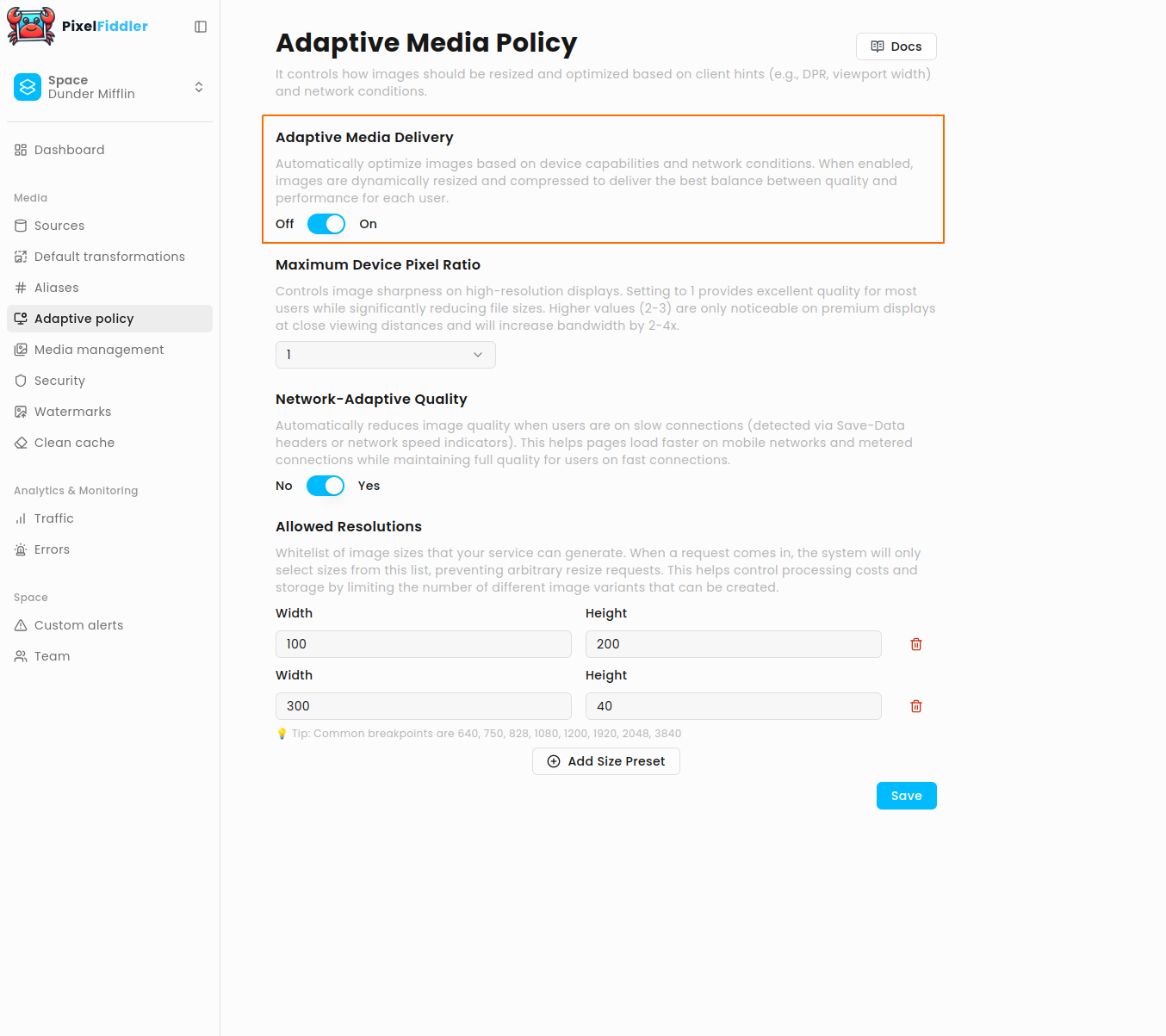
Section titled “Enable”To enable Adaptive Media policy go to Adaptive policy tab and enable Adaptive Media Delivery
Maximum Device Pixel Ratio
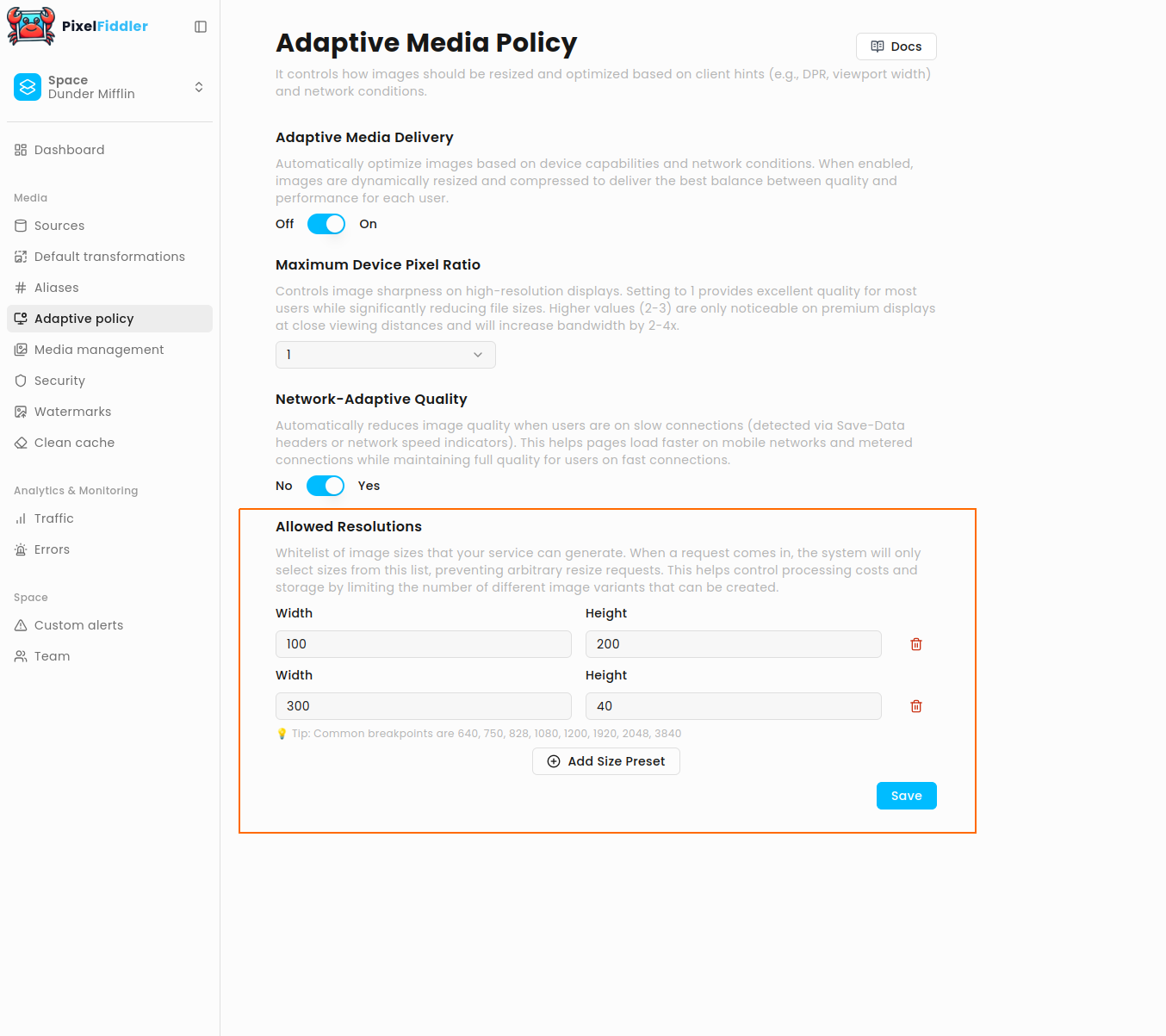
Section titled “Maximum Device Pixel Ratio”Controls image sharpness on high-resolution displays. Setting to 1 provides excellent quality for most users while significantly reducing file sizes. Higher values (2-3) are only noticeable on premium displays at close viewing distances and will increase bandwidth by 2-4x.
Network-Adaptive Quality
Section titled “Network-Adaptive Quality”Automatically reduces image quality when users are on slow connections (detected via Save-Data headers or network speed indicators). This helps pages load faster on mobile networks and metered connections while maintaining full quality for users on fast connections.
Allowed Resolutions
Section titled “Allowed Resolutions”Whitelist of image sizes that your service can generate. When a request comes in, the system will only select sizes from this list,
preventing arbitrary resize requests. This helps control processing costs and storage by limiting the number of different image variants that can be created.