
CDN Caching and purging
Discover how PixelFiddler accelerates media delivery through intelligent caching and learn to manage cache invalidation effectively.
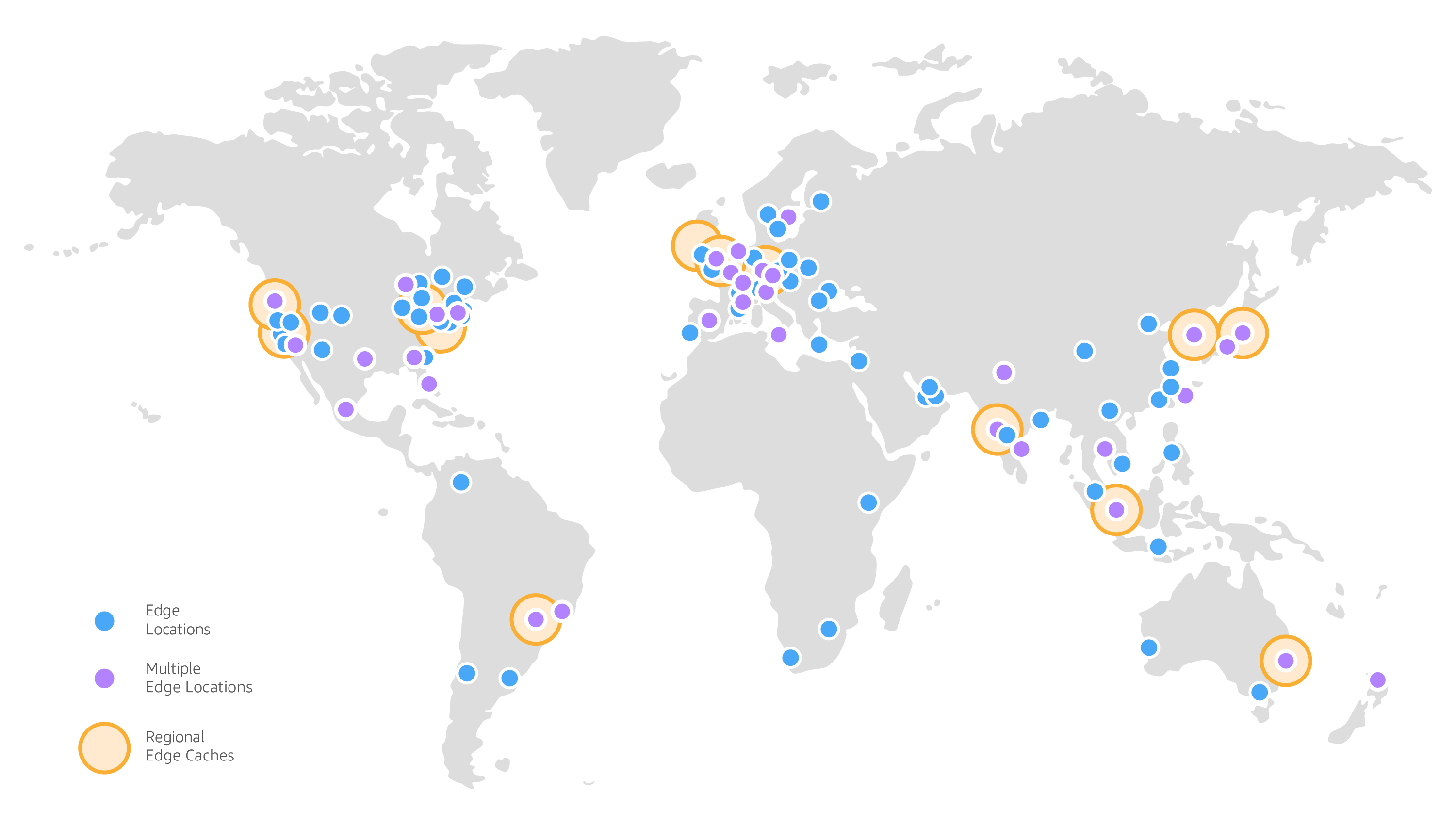
Global CDN distribution map
Understanding Caching System
Section titled “Understanding Caching System”PixelFiddler leverages a global content delivery network to serve your media files from locations closest to your users. This distributed architecture minimizes latency and ensures optimal loading performance worldwide.
Here’s how the delivery process works:
- User requests a media file from your application
- The request is routed to the closest CDN edge location
- If cached, the file is delivered instantly from the edge server
- If not cached, the request reaches PixelFiddler’s processing infrastructure
- The file gets processed, transformed (if needed), cached globally, and delivered
Caching Duration and Policies
Section titled “Caching Duration and Policies”PixelFiddler employs a one-year default caching strategy for all media assets. This approach provides:
- Long-term caching: Files remain available on edge servers for up to 365 days
- Intelligent eviction: Less frequently accessed content may be removed earlier to optimize storage
- Automatic refresh: Expired content triggers fresh retrieval from origin servers
HTTP Caching Headers
Section titled “HTTP Caching Headers”Every response includes carefully configured caching directives:
Cache-Control: public, s-maxage=31536000, max-age=31536000, must-revalidateThis configuration instructs:
public: Permits caching by browsers, proxies, and CDN infrastructures-maxage=31536000, max-age=31536000: Establishes a 1-year cache lifetimemust-revalidate: Requires validation checks when cached content expires
Multi-Layer Caching Architecture
Section titled “Multi-Layer Caching Architecture”PixelFiddler operates multiple caching tiers for maximum efficiency:
- Edge caching: Global CDN storage for rapid content delivery
- Processing cache: Optimized storage for transformed media variants
- Origin cache: Optional caching of source files from external storage
Cache purging operations clear content from all these layers simultaneously, guaranteeing that subsequent requests retrieve the most current versions.
Managing Cache Invalidation
Section titled “Managing Cache Invalidation”Remove outdated content from cache using these methods:
Targeted File Invalidation
Section titled “Targeted File Invalidation”Clear cache for specific files by providing the exact file path:
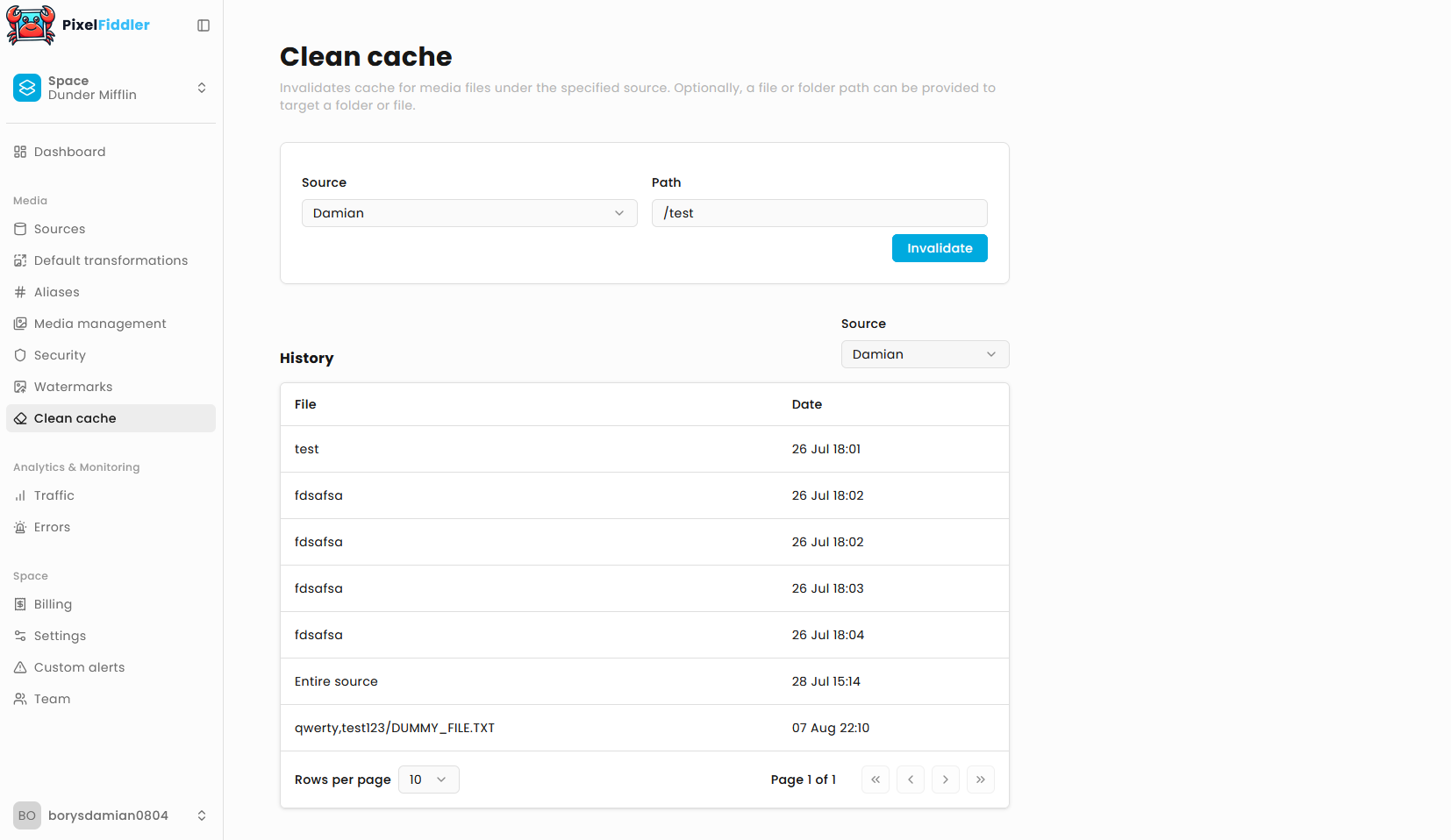
Directory-Based Invalidation
Section titled “Directory-Based Invalidation”Purge entire directories and all their contents by specifying the folder path:
This operation removes all cached files within the specified directory tree.
Source-Wide Invalidation
Section titled “Source-Wide Invalidation”Clear all cached content for an entire media source by omitting the file path:
Custom Cache Control for External Sources
Section titled “Custom Cache Control for External Sources”When connecting external storage systems (AWS S3, Google Cloud Storage, Azure Blob Storage), you can override default caching behavior by configuring Cache-Control metadata on your storage objects.
PixelFiddler honors the max-age value from your storage configuration:
- Your storage setting:
public, max-age=7200(2 hours) - PixelFiddler behavior: Caches content for 2 hours across all systems
This custom duration applies throughout the entire caching pipeline, from CDN edges to internal processing caches.
Configuration Requirements
Custom cache control only functions with external storage integrations. Media uploaded directly to PixelFiddler follows standard caching policies.
Request activation of origin-based cache control through our support team.
Tracking Invalidation Activities
Section titled “Tracking Invalidation Activities”Monitor your cache management operations with the invalidation history API:
Response includes:
- Invalidation timestamps
- Target file or directory paths
- Associated media source identifiers
- Paginated results for large datasets
Optimization Strategies
Section titled “Optimization Strategies”1. Implement Content Versioning
Section titled “1. Implement Content Versioning”Minimize cache invalidation needs by incorporating version identifiers:
// Recommended: Query parameter versioninghttps://cdn.yourapp.com/sources/xyz789/media/header.png?version=3
// Alternative: Filename versioninghttps://cdn.yourapp.com/sources/xyz789/media/header-v3.png
2. Monitor Cache Effectiveness
Section titled “2. Monitor Cache Effectiveness”Regularly review cache performance metrics in your analytics dashboard. Target cache hit rates above 85% for optimal cost efficiency and user experience.
3. Plan Invalidation Strategy
Section titled “3. Plan Invalidation Strategy”- Selective approach: Target specific files when changes are localized
- Batch operations: Use directory invalidation for related content updates
- Complete refresh: Reserve full source invalidation for major content migrations
4. Design Cache-Friendly URLs
Section titled “4. Design Cache-Friendly URLs”Organize content hierarchically to leverage directory-based invalidation:
// Strategic organization/campaigns/2024/holiday/hero-image.jpg/campaigns/2024/holiday/product-grid.jpg
// Enables efficient batch invalidation:/campaigns/2024/holiday/
Multi-CDN and Custom Domain Integration
Section titled “Multi-CDN and Custom Domain Integration”For implementations involving multiple CDN layers or custom domains, coordinate cache invalidation carefully:
- Source update: Modify content in your origin storage system
- PixelFiddler invalidation: Clear PixelFiddler’s cache layers
- Verification: Confirm updates by fetching content through PixelFiddler URLs
- Downstream invalidation: Clear your additional CDN or proxy caches
This sequence prevents serving stale content from intermediate caching layers.
Access Control and Permissions
Section titled “Access Control and Permissions”Cache invalidation operations inherit the same security model as media access:
- Source-level permissions determine invalidation capabilities
- Authentication requirements match your configured security levels
- Bulk operations require appropriate authorization scopes
Whether using JWT tokens, URL signatures, or other authentication methods, the same credentials govern both content access and cache management.
Related Topics: