
Custom Alert Rules
Alert rules let you monitor your media usage and get notified when certain thresholds are reached. This helps you stay on top of your resource consumption and avoid unexpected charges.
What are Alert Rules?
Section titled “What are Alert Rules?”Alert rules are automated monitoring conditions that trigger notifications when specific metrics exceed your defined thresholds. Currently, PixelFiddler supports Resource Usage Alert Rules that monitor various consumption metrics across your spaces.
Creating Alert Rules
Section titled “Creating Alert Rules”Steps to Create an Alert Rule
Section titled “Steps to Create an Alert Rule”- Choose your space: Navigate to the space where you want to monitor resource usage
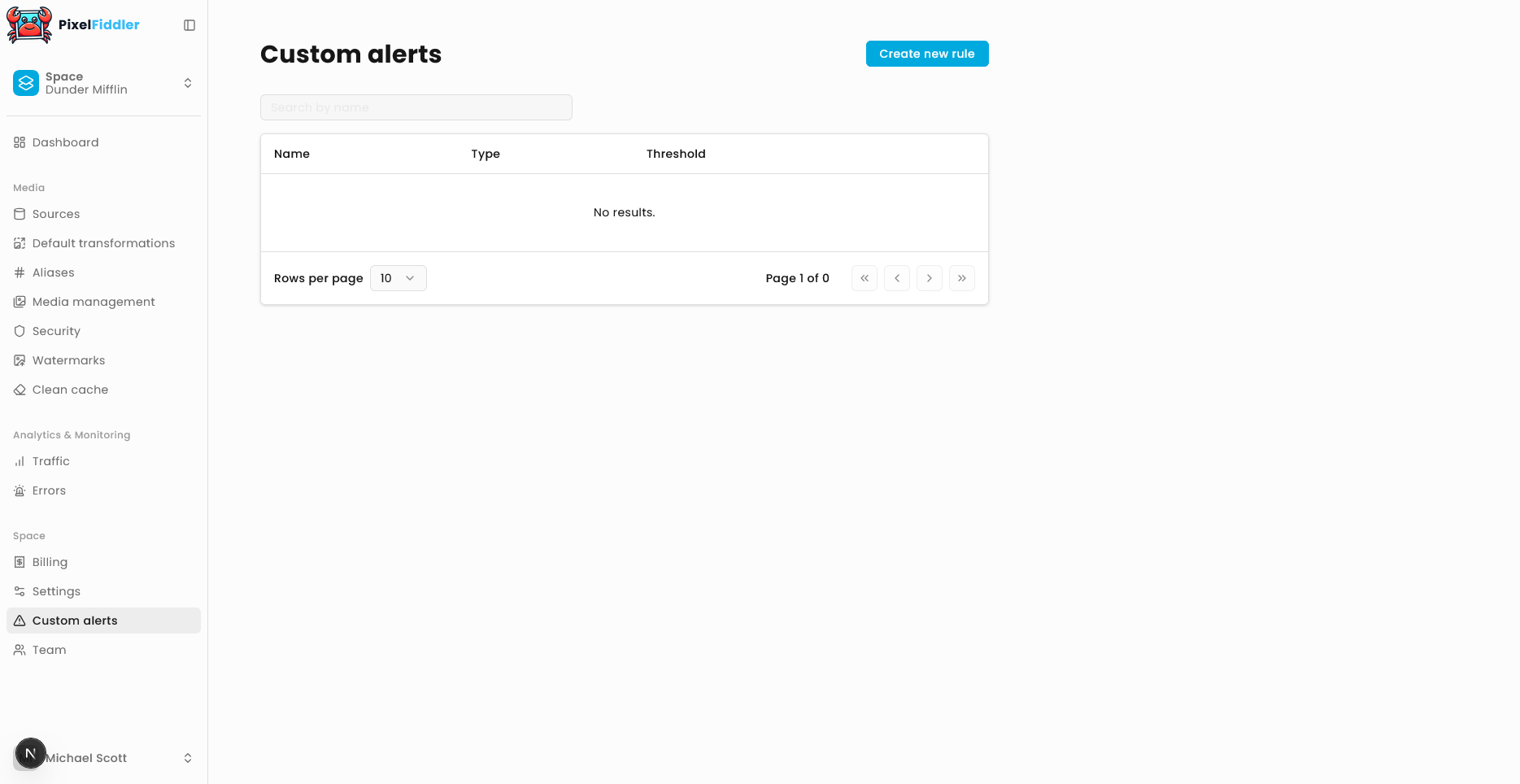
- Define the rule: Specify what resource you want to monitor and set your threshold
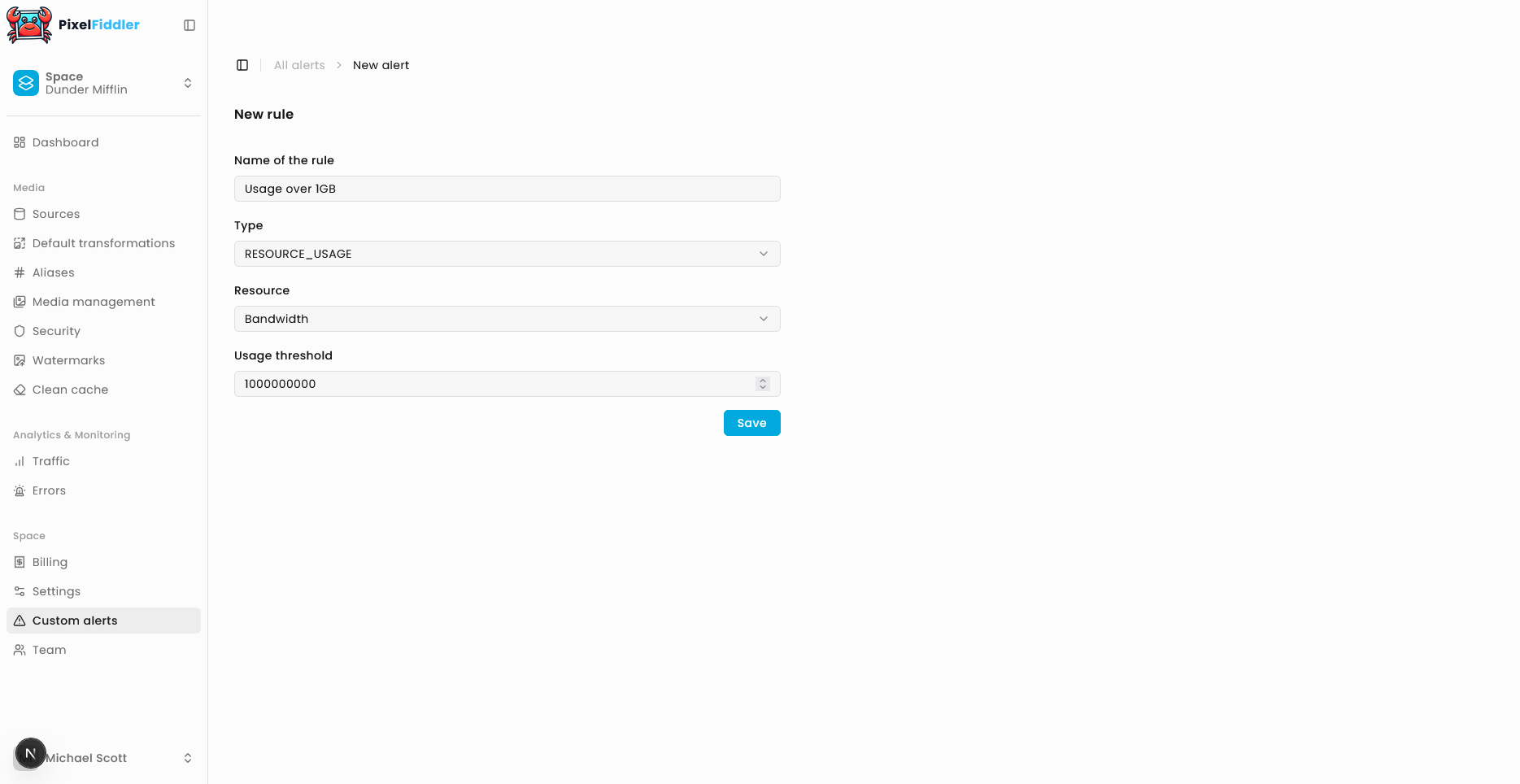
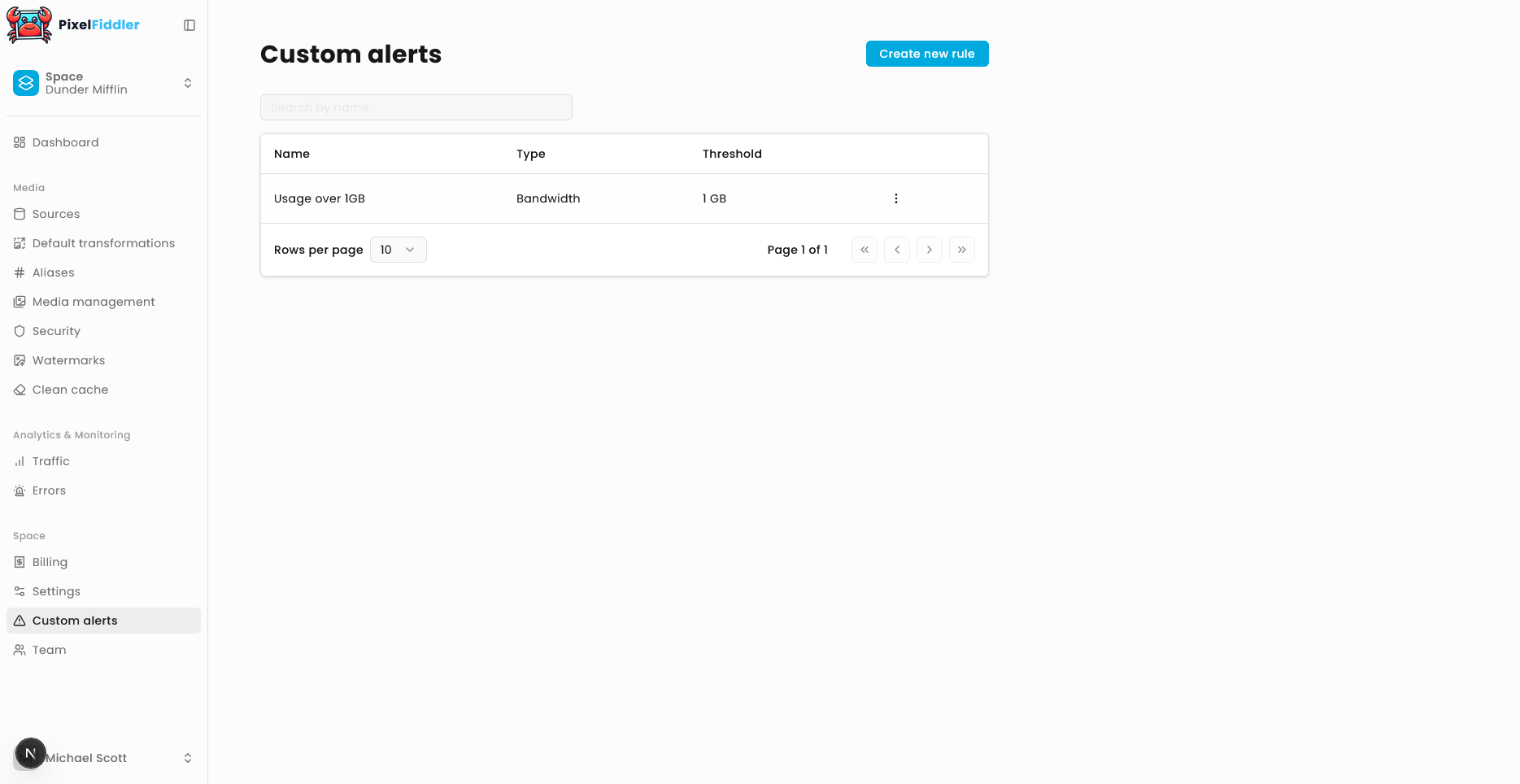
Resource Usage Alert Rules
Section titled “Resource Usage Alert Rules”Resource Usage Alert Rules monitor specific metrics like data transfer, storage usage, or API requests within your space.
Configuration Options
Section titled “Configuration Options”Rule Name Give your alert rule a descriptive name to easily identify it later.
Resource Key Select which resource metric you want to monitor. Common options include:
requests- Number of API requestsdownloaded_bytes- Total bytes downloadeduploaded_bytes- Total bytes uploadedstorage_bytes- Total storage used
Usage Threshold Set the limit that will trigger the alert. When your actual usage exceeds this threshold, you’ll receive a notification.
Alert Notifications
Section titled “Alert Notifications”When an alert rule is triggered, you’ll receive notifications through your configured channels. The alert will include:
- Which rule was triggered
- Current usage level
- Threshold that was exceeded
- Timestamp of when the threshold was crossed