
Signature
Signed URLs allow you to give time-limited access to your media endpoints without exposing permanent credentials.
The server verifies that the URL was signed with a valid private key and that the timestamp (ts) has not expired.
Generate a key pair
Section titled “Generate a key pair”Generate a signature key pair for your Space in the security configuration:
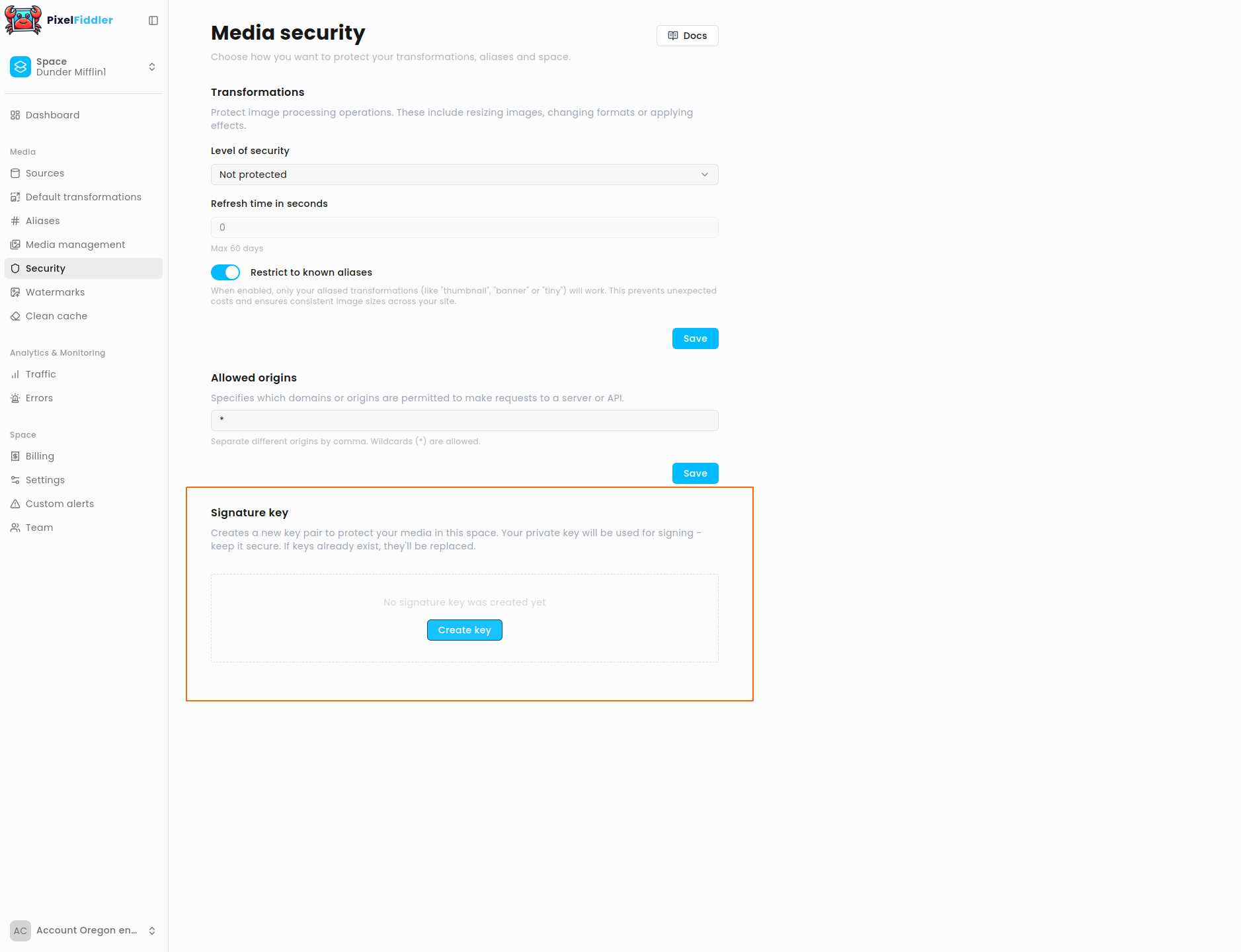
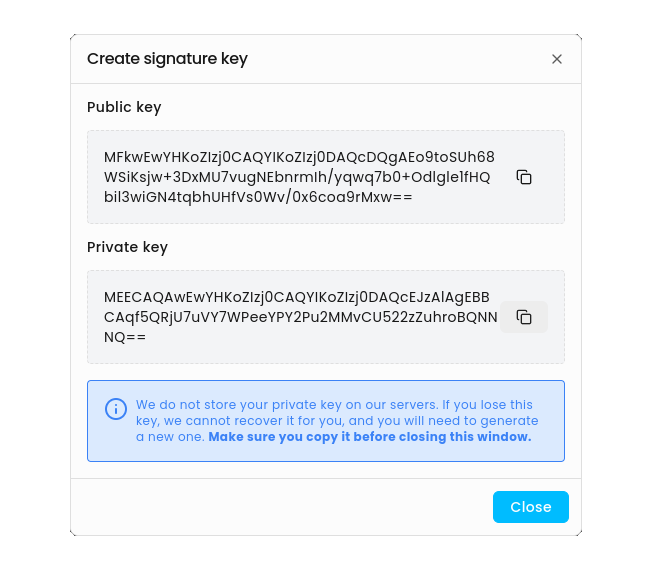
- Store the private key securely – it will not be returned again. The server uses the public key to validate requests signed by your private key.
Enable signature protection
Section titled “Enable signature protection”To enable signature protection for all your transformations, navigate to the Transformations section in the security configuration and set Level of security to Signature or token
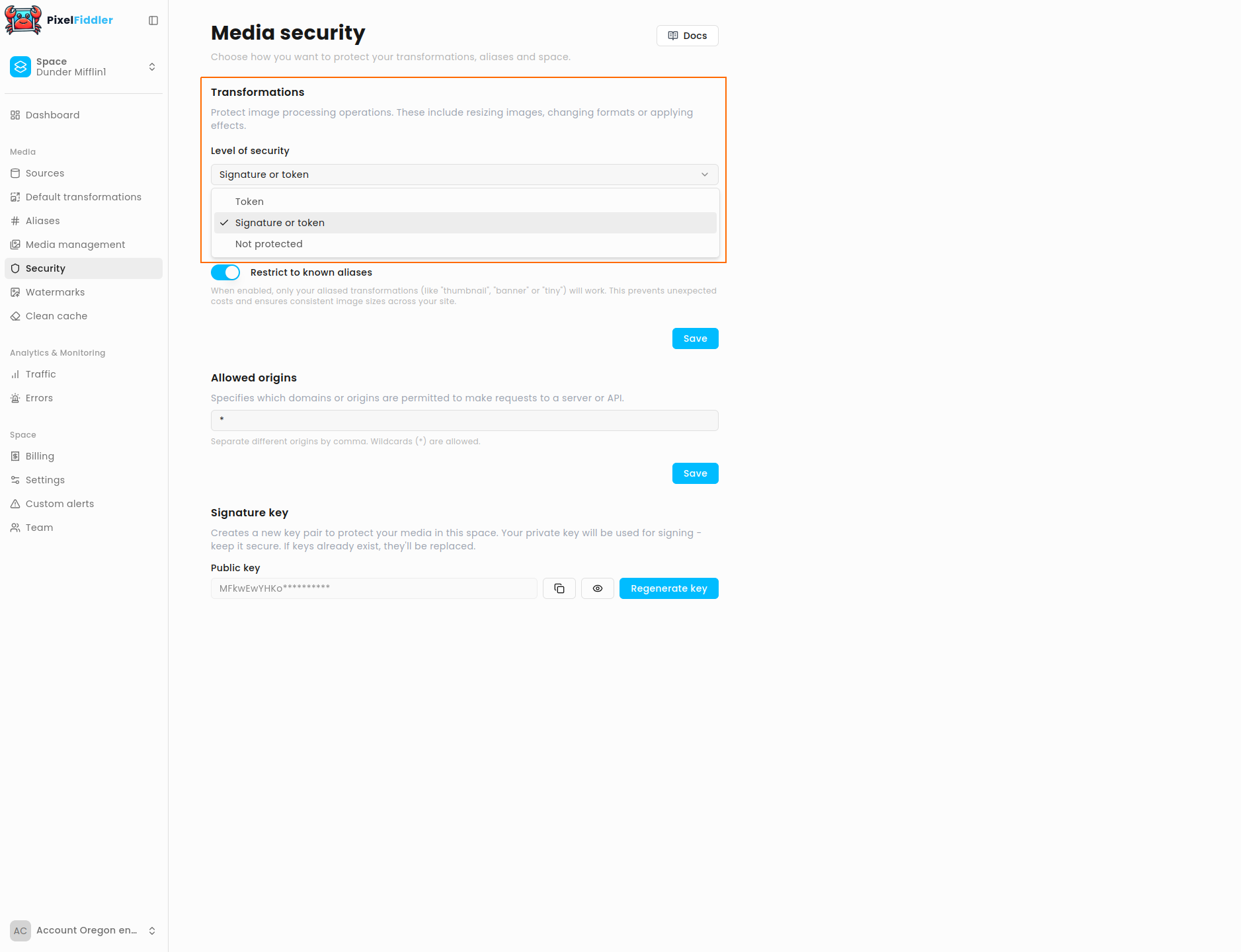
Once this setting is applied, a signature or Bearer token will be required for transformation requests.
Signature Expiry (seconds)
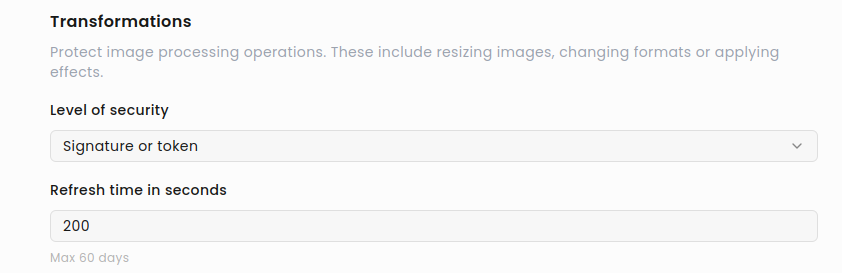
Section titled “Signature Expiry (seconds)”You can configure how long a signature remains valid.
To change the default value (5 minutes), go to Signature Expiry and set a custom duration (up to 60 days).
Signing algorithm
Section titled “Signing algorithm”To call a protected endpoint:
- Compute a timestamp (seconds since epoch):
ts = floor(now / 1000)- Build the unsigned URL including
tsand any parameters (but withoutsignature). Example:
/demo/media/crab.jpg?ts=1732812345&w=800- Create the normalized string:
"{HTTP_METHOD} {PATH_AND_QUERY}".toLowerCase()→ "get /demo/media/crab.jpg?ts=1732812345&w=800"
-
Sign the normalized string with ECDSA P-256 + SHA-256 using your private key.
-
Base64URL-encode the signature (replace
+→-,/→_, trim=). -
Append the signature to your URL:
?ts=1732812345&w=800&signature=BASE64URL✅ Done — you can now call the signed URL.
Example request
Section titled “Example request”curl "https://media.pixel-fiddler.com/demo/media/crab.jpg?ts=1732812345&w=800&signature=BASE64URL_SIG"Missing Signature
Section titled “Missing Signature”If a request is made without a signature, the backend will return HTTP 401:
{ "type": "pf:problems/SignatureMissing", "title": "Signature is missing", "status": 401, "detail": "Resource '/demo/media/crab.jpg' is secured with signature. (https://pixel-fiddler.com/docs/security/signature)", "instance": "/demo/media/crab.jpg"}Invalid or Expired Signature
Section titled “Invalid or Expired Signature”If the signature is invalid or the timestamp has expired, the backend will return HTTP 403:
{ "type": "pf:problems/SignatureExpired", "title": "Signature expired", "status": 403, "detail": "Signature for resource '/demo/media/crab.jpg' expired. (https://pixel-fiddler.com/docs/security/signature)", "instance": "/demo/media/crab.jpg"}Example implementations
Section titled “Example implementations”import java.util.*import java.security.*import java.security.spec.PKCS8EncodedKeySpecimport java.time.Instantimport java.net.URL
fun signUrl(method: String, url: URL, privateKeyB64: String): String { val pathWithQuery = url.path + (url.query?.let { "?$it" } ?: "") val normalized = "$method $pathWithQuery".lowercase() val keyBytes = Base64.getDecoder().decode(privateKeyB64) val pk = KeyFactory.getInstance("EC") .generatePrivate(PKCS8EncodedKeySpec(keyBytes)) val sig = Signature.getInstance("SHA256withECDSA") sig.initSign(pk) sig.update(normalized.toByteArray(Charsets.UTF_8)) val der = sig.sign() val signature = Base64.getUrlEncoder().withoutPadding().encodeToString(der) return "$url&signature=$signature"}
fun main() { val url = URL("https://media.pixel-fiddler.com/demo/media/crab.jpg?ts=${Instant.now().epochSecond}") val signedUrl = signUrl("GET", url, "<YOUR_PRIVATE_KEY_BASE64>") println(signedUrl)}const crypto = require("crypto");
function toPem(base64Der, type) { const body = base64Der.match(/.{1,64}/g).join("\n"); return `-----BEGIN ${type}-----\n${body}\n-----END ${type}-----\n`;}
function signUrl(method, url, privateKeyBase64) { const pem = toPem(privateKeyBase64, "PRIVATE KEY"); const u = new URL(url); const pathWithQuery = u.pathname + (u.search || ""); const normalized = `${method} ${pathWithQuery}`.toLowerCase(); const sign = crypto.createSign("SHA256"); sign.update(Buffer.from(normalized, "utf8")); sign.end(); const der = sign.sign({ key: pem }); const signature = Buffer.from(der) .toString("base64") .replace(/\+/g, "-") .replace(/\//g, "_") .replace(/=+$/, ""); u.searchParams.append("signature", signature); return u.toString();}
console.log(signUrl("GET", "https://media.pixel-fiddler.com/demo/media/crab.jpg?ts=" + Math.floor(Date.now() / 1000), "<YOUR_PRIVATE_KEY_BASE64>"));import base64from urllib.parse import urlparse, urlunparse, parse_qs, urlencodefrom cryptography.hazmat.primitives import hashes, serializationfrom cryptography.hazmat.primitives.asymmetric import ecimport time
def sign_url(method, url, private_key_b64): u = urlparse(url) path_with_query = u.path + ("?" + u.query if u.query else "") normalized = f"{method} {path_with_query}".lower() key = serialization.load_der_private_key(base64.b64decode(private_key_b64), None) der = key.sign(normalized.encode("utf-8"), ec.ECDSA(hashes.SHA256())) signature = base64.urlsafe_b64encode(der).decode().rstrip("=")
# Append signature to URL query = parse_qs(u.query) query["signature"] = signature u = u._replace(query=urlencode(query, doseq=True)) return urlunparse(u)
url = f"https://media.pixel-fiddler.com/demo/media/crab.jpg?ts={int(time.time())}"print(sign_url("GET", url, "<YOUR_PRIVATE_KEY_BASE64>"))package main
import ( "crypto/ecdsa" "crypto/rand" "crypto/sha256" "crypto/x509" "encoding/asn1" "encoding/base64" "fmt" "math/big" "net/url" "strings")
type ECDSASignature struct { R, S *big.Int}
func signURL(method, rawurl, privateKeyB64 string) (string, error) { der, _ := base64.StdEncoding.DecodeString(privateKeyB64) key, err := x509.ParsePKCS8PrivateKey(der) if err != nil { return "", err } eckey := key.(*ecdsa.PrivateKey) u, _ := url.Parse(rawurl) pathWithQuery := u.Path if u.RawQuery != "" { pathWithQuery += "?" + u.RawQuery } normalized := strings.ToLower(method + " " + pathWithQuery) hash := sha256.Sum256([]byte(normalized)) r, s, _ := ecdsa.Sign(rand.Reader, eckey, hash[:]) derSig, _ := asn1.Marshal(ECDSASignature{r, s}) signature := base64.RawURLEncoding.EncodeToString(derSig)
q := u.Query() q.Set("signature", signature) u.RawQuery = q.Encode() return u.String(), nil}
func main() { signedUrl, _ := signURL("GET", "https://media.pixel-fiddler.com/demo/media/crab.jpg?ts=1697312345", "<YOUR_PRIVATE_KEY_BASE64>") fmt.Println(signedUrl)}Best practices
Section titled “Best practices”- Keep
tsvalidity window short (minutes to hours). - Always exclude
signaturewhen signing. - Lowercase the full
METHOD path?query. - Store your private key securely – never share it.
- Rotate keys periodically using Regenerate key.
Summary
Section titled “Summary”- Use the private key to sign requests.
- Send
tsandsignatureas query parameters. - The server verifies with the public key and rejects invalid/expired signatures.
- This mechanism ensures your media URLs are secure and short-lived.