
Text
Add dynamic text overlays to your images with full control over positioning, styling, and appearance. Perfect for watermarks, captions, branding, or any text-based content directly on your images.
Quick reference
Section titled “Quick reference”| Parameter | Alias | Value | See |
|---|---|---|---|
text | tx | String to render on the image | Content |
text.color | tx.c | HEX value | Color |
text.opacity | tx.o | 0–100 | Opacity |
text.background | tx.bg | HEX value | Background |
text.background.opacity | tx.bg.o | 0–100 | Background |
text.size | tx.s | 1–100 | Size |
text.font | tx.f | Font family name (e.g., sans, arial) | Size |
text.font.size | tx.fs | Font size in pixels (overrides percentage-based size) | Size |
text.font.weight | tx.fw | Font weight (e.g., 400, 700) | Size |
text.position | tx.p | left, right, top, top_left, top_right, bottom, bottom_left, bottom_right, center | Content |
text.shadow.color | tx.sh.c | Shadow color (hex) | Text Shadow |
text.shadow.blur | tx.sh.bl | Shadow blur radius in pixels | Text Shadow |
text.shadow.x | tx.sh.x | Shadow horizontal offset in pixels | Text Shadow |
text.shadow.y | tx.sh.y | Shadow vertical offset in pixels | Text Shadow |
text.shadow.opacity | tx.sh.o | Shadow opacity (0–100) | Text Shadow |
Content
Section titled “Content”Add custom text to your images with flexible positioning options. Control exactly where your text appears using position settings.
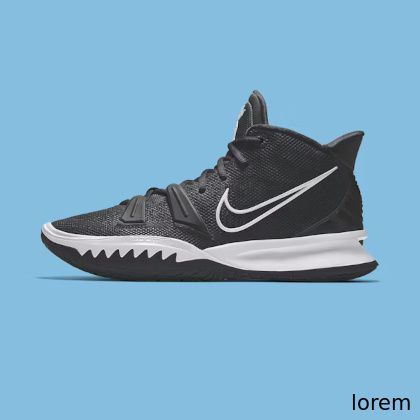
<img src="https://media.pixel-fiddler.com/{sourceAlias}/media/{imagePath}?tx=lorem&tx.p=bottom_right"/>Parameters:
text(alias:tx) - The text content to displaytext.position(alias:tx.p) - Text positioning on the image- Values:
left,right,top,top_left,top_right,bottom,bottom_left,bottom_right,center
- Values:
Customize the text color using hexadecimal color codes. Create contrast or match your brand colors perfectly.
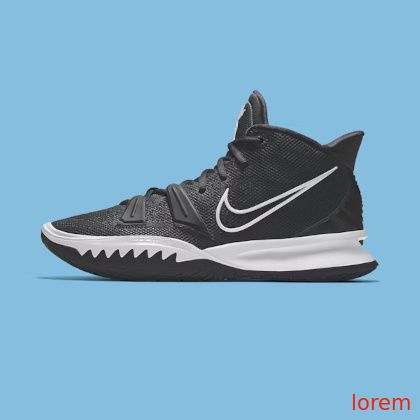
<img src="https://media.pixel-fiddler.com/{sourceAlias}/media/{imagePath}?tx.c=fc2003&tx=lorem&tx.p=bottom_right"/>Parameters:
text.color(alias:tx.c) - Text color in hexadecimal format- Format: 6-digit hex code without the # symbol (e.g.,
fc2003for red)
- Format: 6-digit hex code without the # symbol (e.g.,
Opacity
Section titled “Opacity”Control text transparency to create subtle overlays or ensure readability over complex backgrounds.
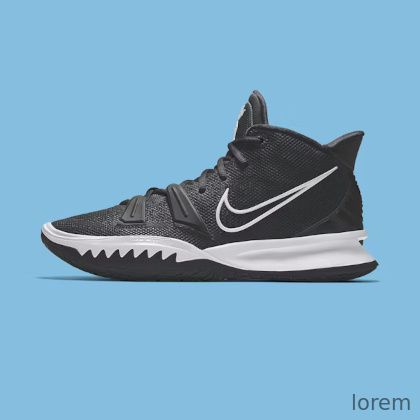
<img src="https://media.pixel-fiddler.com/{sourceAlias}/media/{imagePath}?tx.o=50&tx=lorem&tx.p=bottom_right"/>Parameters:
text.opacity(alias:tx.o) - Text transparency as percentage (0-100)- Range: 0 = fully transparent, 100 = fully opaque
Background
Section titled “Background”Add a colored background behind your text to improve readability and create professional-looking overlays.
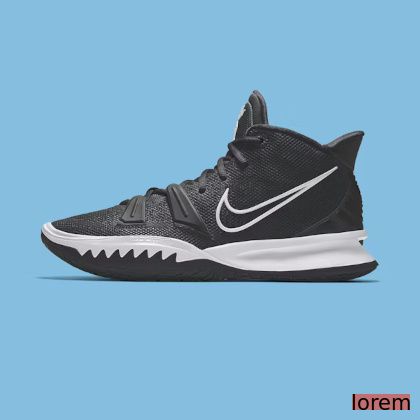
<img src="https://media.pixel-fiddler.com/{sourceAlias}/media/{imagePath}?tx.bg=fc2003&tx.bg.o=50&tx=lorem&tx.p=bottom_right"/>Parameters:
text.background(alias:tx.bg) - Background color in hexadecimal format- Format: 6-digit hex code without the # symbol
text.background.opacity(alias:tx.bg.o) - Background transparency as percentage (0-100)- Range: 0 = fully transparent background, 100 = solid background
Control text size using either percentage-based scaling relative to the image or absolute pixel values for precise control.
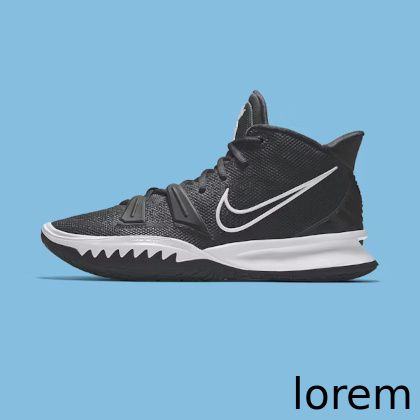
<img src="https://media.pixel-fiddler.com/{sourceAlias}/media/{imagePath}?tx.s=10&tx=lorem&tx.p=bottom_right"/>Parameters:
-
text.size(alias:tx.s) - Text size as percentage of image dimensions (1-100)- Percentage range: 1-100% of image dimension
-
text.font.size(alias:tx.fs) - Text size in pixels (overrides percentage sizing)- Pixel size: Any positive integer value
-
text.font.weight(alias:tx.fw) - Font weight value- Common values:
100(thin),400(normal),700(bold),900(black)
- Common values:
Text Shadow
Section titled “Text Shadow”Add a drop shadow behind your text to improve readability or create depth effects. Shadows are configured with color, blur, offset, and opacity.

<img src="https://media.pixel-fiddler.com/{sourceAlias}/media/{imagePath}?tx=lorem&tx.p=center&tx.fs=40&tx.sh.c=000000&tx.sh.bl=4&tx.sh.x=2&tx.sh.y=2&tx.sh.o=80"/>Parameters:
text.shadow.color(alias:tx.sh.c) - Shadow color in hex format- Format: 6-digit hex code without
#(e.g.,000000for black)
- Format: 6-digit hex code without
text.shadow.blur(alias:tx.sh.bl) - Shadow blur radius in pixels- Range: Higher values create a softer, more diffused shadow
text.shadow.x(alias:tx.sh.x) - Horizontal offset in pixels- Positive values move the shadow to the right, negative to the left
text.shadow.y(alias:tx.sh.y) - Vertical offset in pixels- Positive values move the shadow downward, negative upward
text.shadow.opacity(alias:tx.sh.o) - Shadow transparency as percentage (0-100)- Range: 0 = fully transparent, 100 = fully opaque